
The Apple TV screensaver,
on your Mac. And then some.
Aerial plays Apple's aerial videos, from cities and deserts to the view from the ISS, as your screensaver and as a live wallpaper. It's free and open source, with overlays, multi-display modes, support for your own videos, live camera feeds and community video packs. macOS only.
11 MB ·
Released November 2, 2026 · macOS 26 (Tahoe) or later
Apple Silicon and Intel
Requires macOS 26 (Tahoe) or later. On an older Mac? Aerial 4.0.16 still runs on macOS 15 (Sequoia), see the download page .
Why Aerial
Apple's aerials, without the limits.
Aerial brought the Apple TV screensaver to macOS in 2015. With Sonoma, macOS caught up and added the ability to play an aerial video as a screensaver. But that's where it stopped. You can't precisely choose what plays and when, put a clock or the weather on top, add your own footage, stretch one video across every display, or watch a live camera feed instead. And while macOS can use those as wallpapers, they remain desperately still.
Aerial does all of that. The whole Apple TV catalog at native quality, including the 4K
240 fps set, your own videos, live feeds, a drag-and-drop overlay editor, multi-display
modes, an optional dynamic wallpaper that automatically pauses when covered by windows,
global hotkeys and a catalog of community video packs, from one small
.app that updates itself.
Free and open source, no telemetry. If you like it, you can buy me a coffee. You don't have to.
A real macOS wallpaper
Aerial is now also an optional native macOS wallpaper. It shows up in System Settings like the built-in ones, the video is your actual desktop with nothing underneath, and it keeps playing on the login screen after your Mac wakes.
Learn moreQuick setup
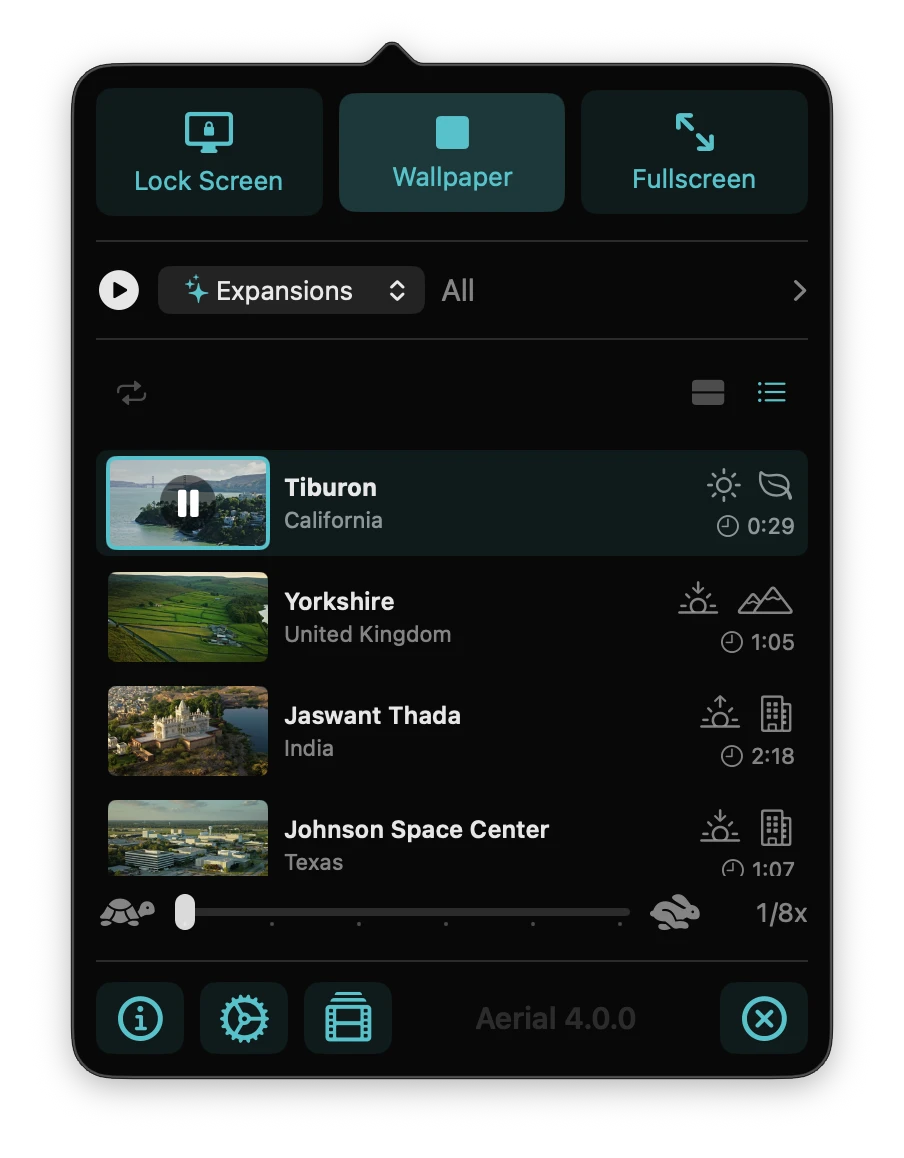
The Video Library opens on a home screen, with a card per display showing what's playing and the controls you use most.
Learn moreLight on your Mac
Low CPU use in both the app and the wallpaper, with automatic pausing on thermal pressure, Low Power Mode or a camera in use. Everything is configurable.
Learn moreBring your own videos
Drop any .mov or .mp4 into one folder and Aerial picks it up. Give it a title and a location, tag the time of day, hide it, or put it in a playlist.
Learn more4K at 240 fps, slowed for your desktop
Apple's 4K 240 fps videos make a calm live wallpaper. Slow them down and they stay perfectly smooth.
Learn moreLive camera feeds
Play an RTSP camera, an HLS stream or a YouTube live URL as your screensaver or wallpaper, in real time.
Learn moreVisual overlay editor
Drag the clock, the weather, location captions and more into seven on-screen zones, and tweak their look to your taste.
Learn moreCommunity video expansions
Browse and install curated video packs from creators like Joshua Michaels & Hal Bergman, right inside the app.
Learn morePlaylists
Put exactly the videos you want in an ordered list, and play from that list alone when you feel like it.
Learn moreSince 2015
Old project. New tricks.
Aerial brought the Apple TV aerials to the Mac in 2015, years before Apple shipped a built-in version. It's still the most flexible way to use them, and Aerial 4 is the biggest rewrite it has had: a native macOS wallpaper extension, 4K 240fps footage slowed down for the desktop, live camera feeds, your own videos, global hotkeys and a visual overlay editor.
Make your Mac cinematic.
One small download. Drag it to /Applications and launch. That's it.
11 MB ·
Released November 2, 2026 · macOS 26 (Tahoe) or later
Apple Silicon and Intel